Quill & Pigeon
Designing and building a spreadsheet import that lets people review and correct contact data before saving it.
- Role
- Design + Development Intern
- Internship
- January-August 2025
- Platform
- Web
01 / 061 story
Overview
Design + development
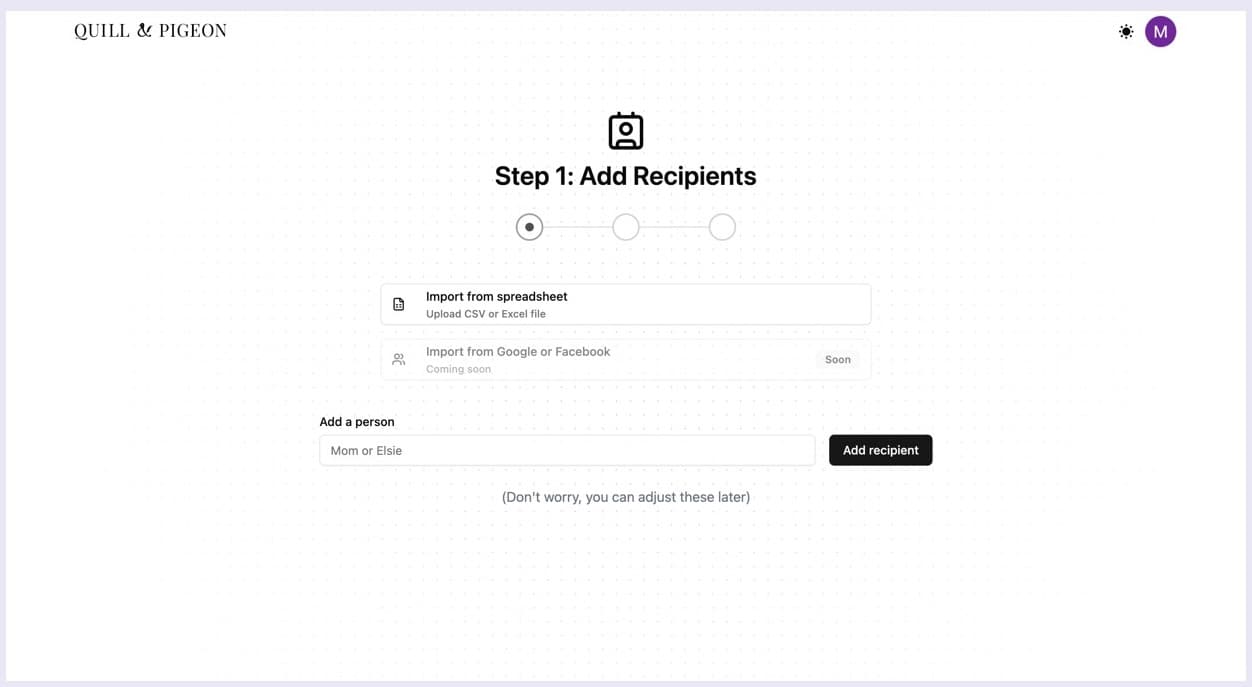
Import a list. Keep control of every contact.
Quill & Pigeon helps people manage recipients and important dates. During my design and development internship, I designed and built the bulk contact import interface: file selection, editable review, validation feedback, and confirmation. My hypothesis: if people could fix contact data before saving it, more of them would finish an import instead of leaving to edit their spreadsheet.
- CSV and XLSX spreadsheet input
- Review and correction before saving
- Confirmation for each imported contact
- Decision
- Make uploading a spreadsheet and saving its contacts two separate actions.
02 / 061 story
Challenge
The starting point
A contact list needs more than an upload button.
Entering contacts individually repeats work when a recipient list already exists in a spreadsheet. Bulk import avoids that repetition, but a readable file can still contain incorrect contact data. I designed a checkpoint where people can inspect and correct those values before saving.
- Decision
- Keep individual entry available and give spreadsheet imports their own review path.
- Constraint
- The file can contain values that need correction, even when its contents can be read.
03 / 062 stories
File setup
Decision / a clear entry point
Make the expected file structure visible.
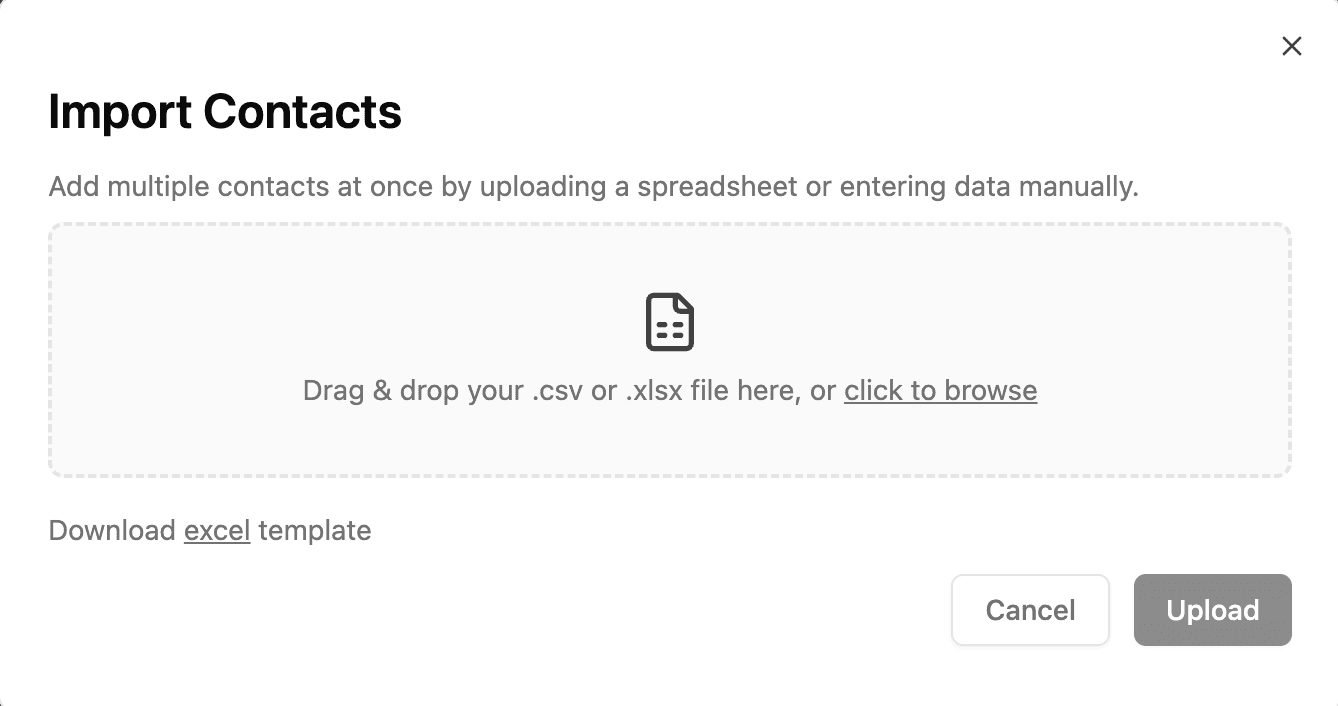
The import dialog accepts CSV and XLSX files and offers a template download beside the file picker. The supported formats and example structure are available before the user commits to an upload.
- Decision
- Put file guidance at the point of selection, where it can help prevent a wrong input.
File setup / selected state
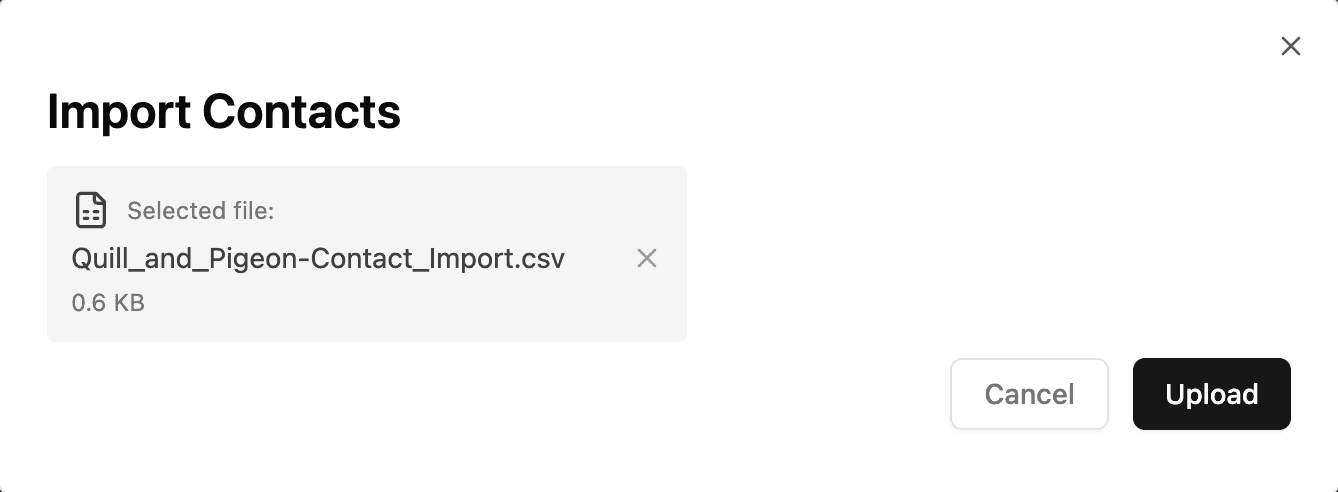
Give the selected file a reversible step.
The selected filename remains visible before upload, with an option to remove it. File selection does not immediately save contacts: users can check their choice, replace it, and then continue to review.
- Decision
- Keep the file choice explicit and reversible before parsing begins.
04 / 061 story
Review
Decision / review before saving
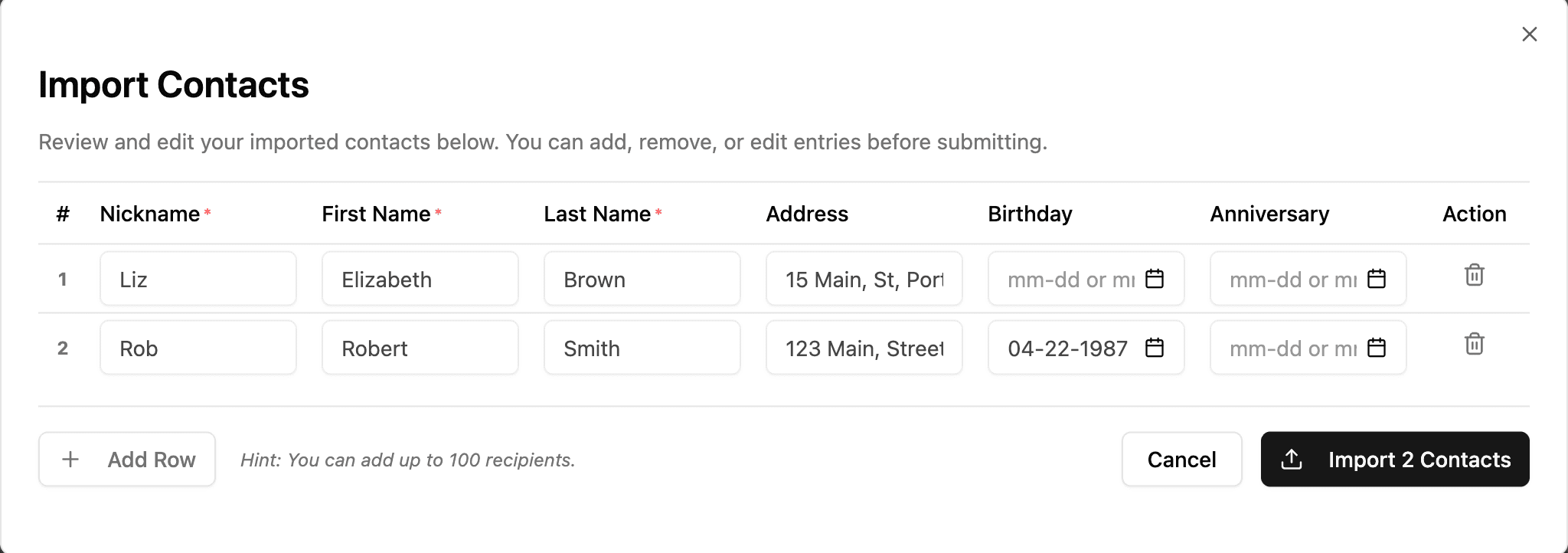
Turn spreadsheet rows into editable contacts.
I made the review table the checkpoint before import. Names, addresses, and dates appear as editable fields, with the contact count on the final action. People can inspect the parsed values and correct them in context before saving.
- Decision
- Allow corrections inside the product rather than requiring a new spreadsheet upload for every edit.
- Constraint
- Review adds a step to the happy path. That step gives people a chance to catch incorrect data before it becomes saved contacts.
05 / 062 stories
Validation
Decision / actionable feedback
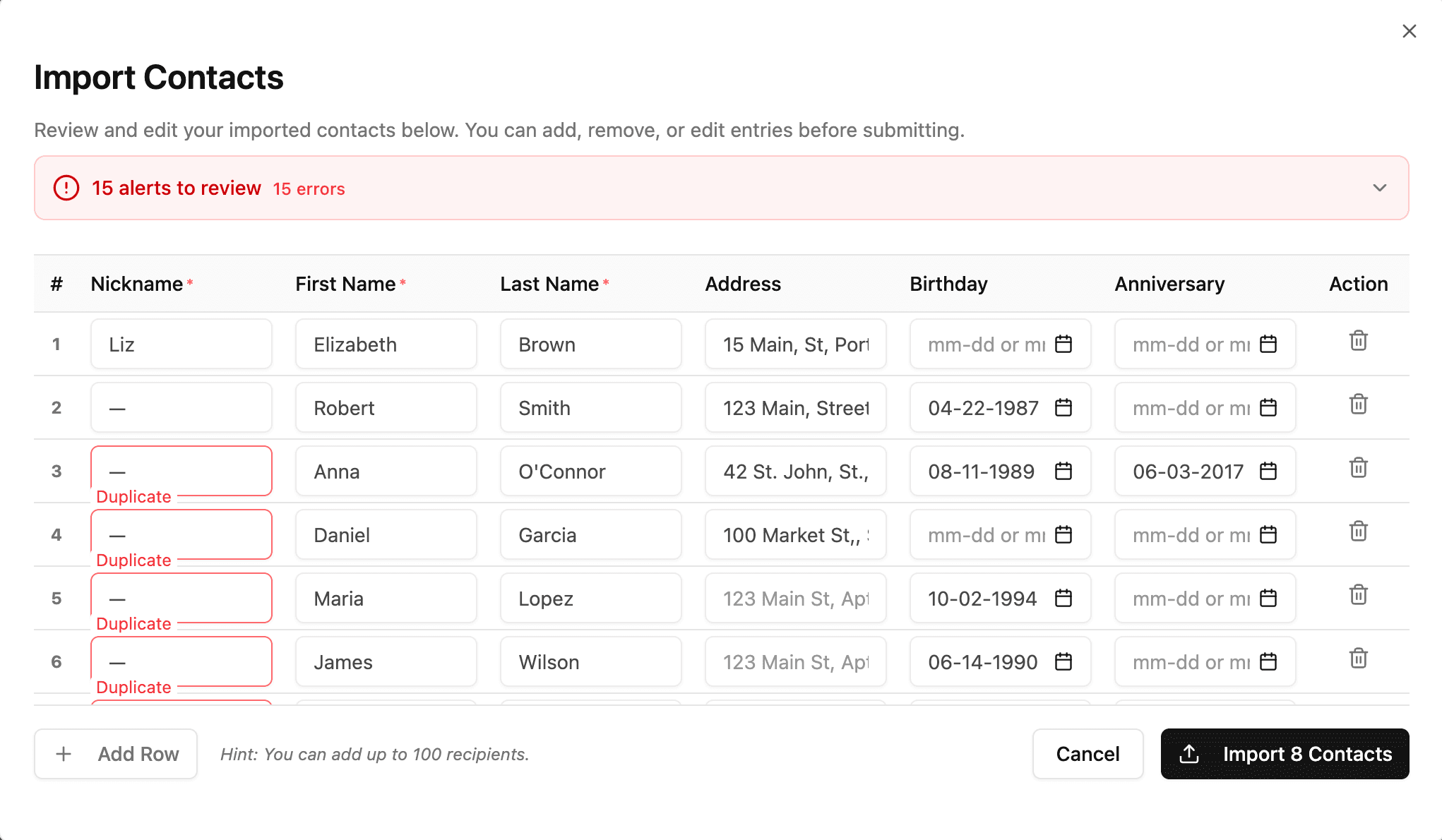
Count the issues. Point to the correction.
I paired a page-level alert summary with feedback beside the affected fields. In this example, 15 alerts signal the scale of the review, while Duplicate labels identify the nickname fields that need attention. Other rows stay visible while the user works through the list.
- Decision
- Put the explanation next to the value that needs correction, rather than relying on a general upload error.
- Outcome
- The review preserves the surrounding contact data and shows where to focus next.
Design + development / interface responsibilities
The review is a state, not a preview image.
My frontend work connects the selected file, an editable contact table, field-level validation feedback, and a confirmation of saved contacts. The interface has to preserve the user's context across those states: uploading the file and saving the reviewed contacts are separate actions.
- Selected file → upload → editable review
- Review → field feedback → correction in context
- Final import action → saved-contact confirmation
- Decision
- Keep the review and correction steps inside the import workflow, before the final save.
06 / 061 story
Delivery
Delivery / what the workflow demonstrates
Close the loop with what was actually saved.
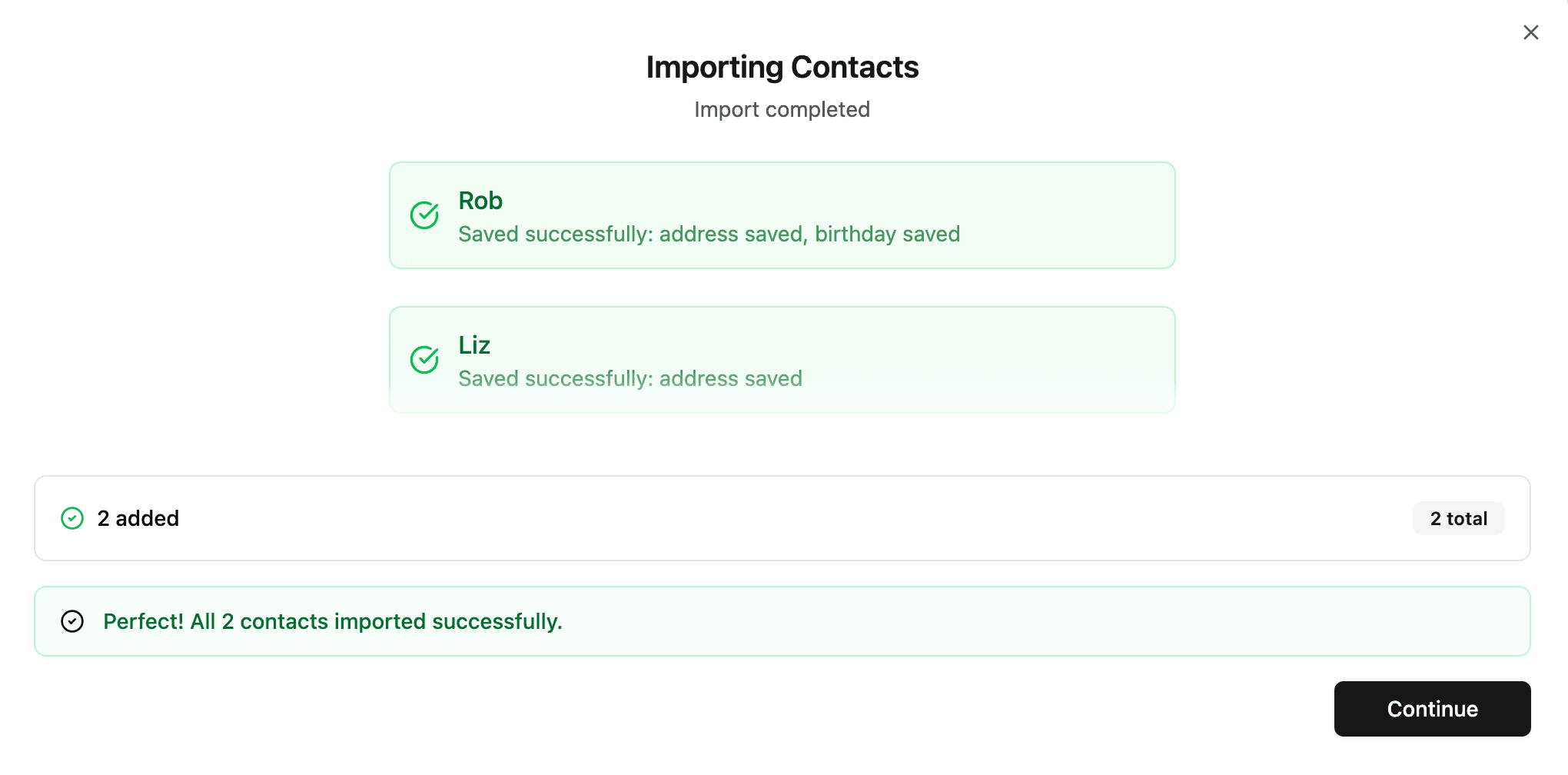
The completed workflow connects file selection, review, correction, and import. The final dialog confirms each saved contact and the total added; this example shows two successful imports. My contribution combined product design and frontend development across that interface.
- Constraint
- Feature-level adoption and setup time are not reported here. The product served more than 100 users; that figure describes its audience, not use of this import. To test the hypothesis, I would measure how many started imports end in saved contacts, and how often people abandon review to re-upload a file.
- Outcome
- A working bulk import interface with an explicit checkpoint before saving and a clear result afterward.